
User Memory Analysis
Specifics - User memory analysis:
Once the system memory analysis has been done, the next step is to look at individual users/servers. This will show
which users/servers/groups are using the most memory. Several screens/reports show user memory analysis below.
Note: Again, to standardize naming conventions, the word memory is replacing the word storage.
Helpful ESAMON screens/ESAMAP reports (further explained below):
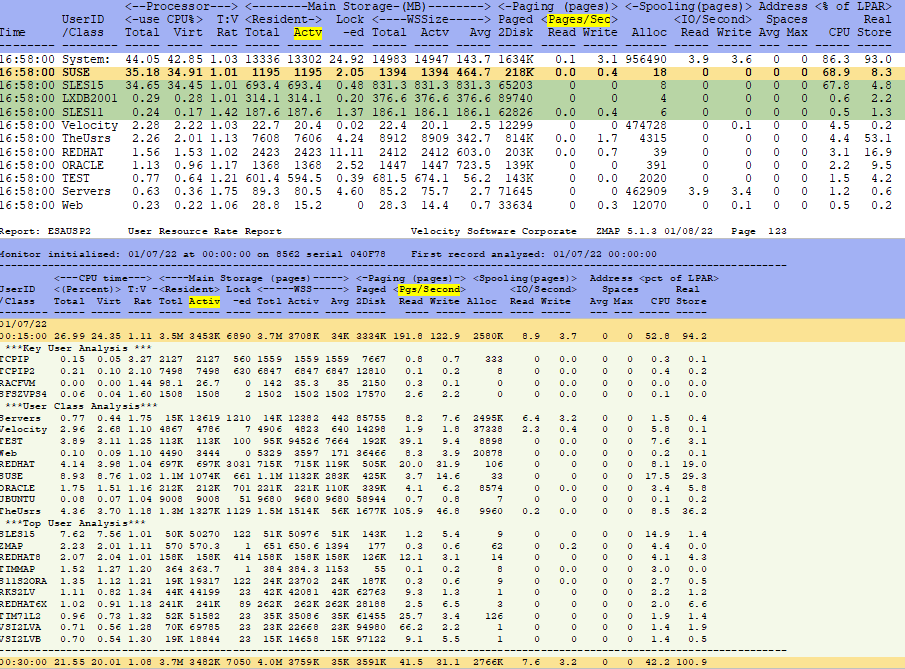
- ESAUSP2 - User Percent Utilization - shows virtual machine percent utilization of processor/memory/page/spool.
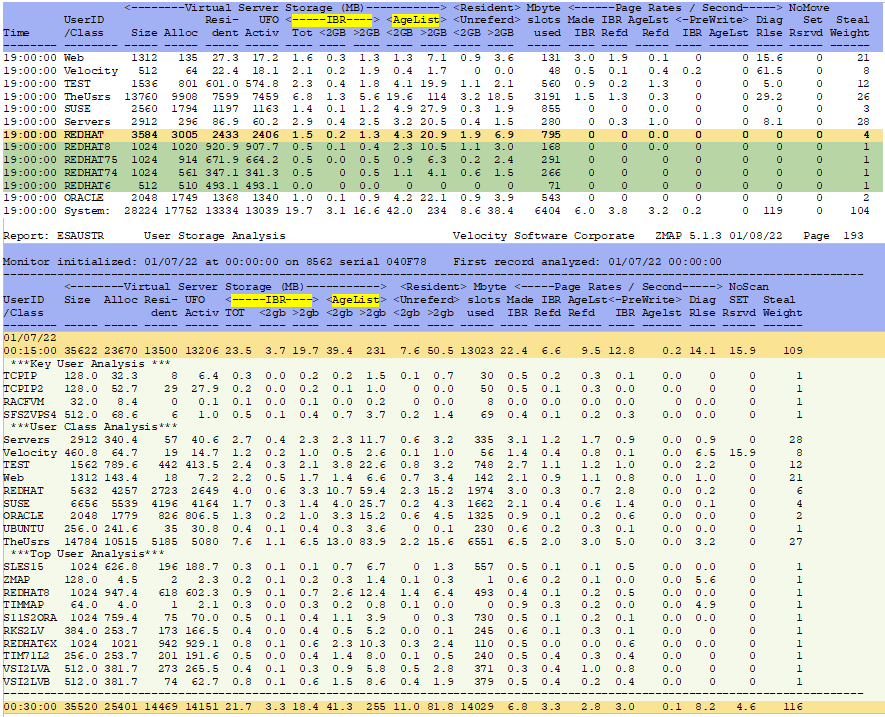
- ESAUSTR - User Storage Analysis - shows virtual and resident memory and paging rates for users/classes.
ESAUSP2 - Shows more virtual machine main memory utilization information. Both screen and report samples:
ESAUSTR - Shows user memory utilization. Both screen and report samples:
Back to top of page
Back to Flow Chart main page
